

Issuing Certificates
How Arythmatic decides when a certificate is earned, which template design a learner receives, and how admins issue or force-issue credentials manually or in bulk.
Issuing Certificates
A certificate in Arythmatic is a credential — a permanent, verifiable record that a learner completed a course or passed an assessment. Issuance is almost always automatic: the moment a learner meets the completion rules, the platform mints the credential, resolves the right template design, and renders the PDF and image in the background. This page explains exactly when that happens, which design a learner ends up with, and how you can issue credentials by hand when you need to.
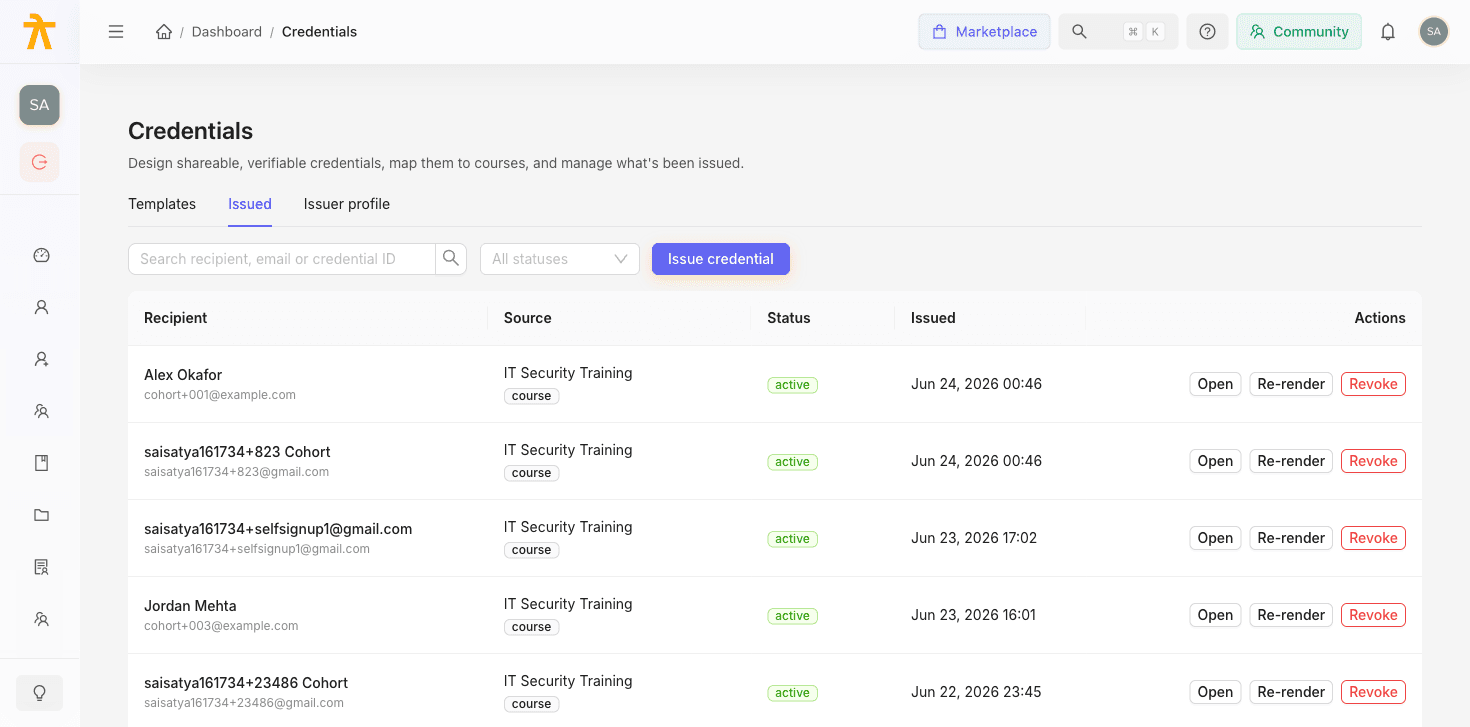
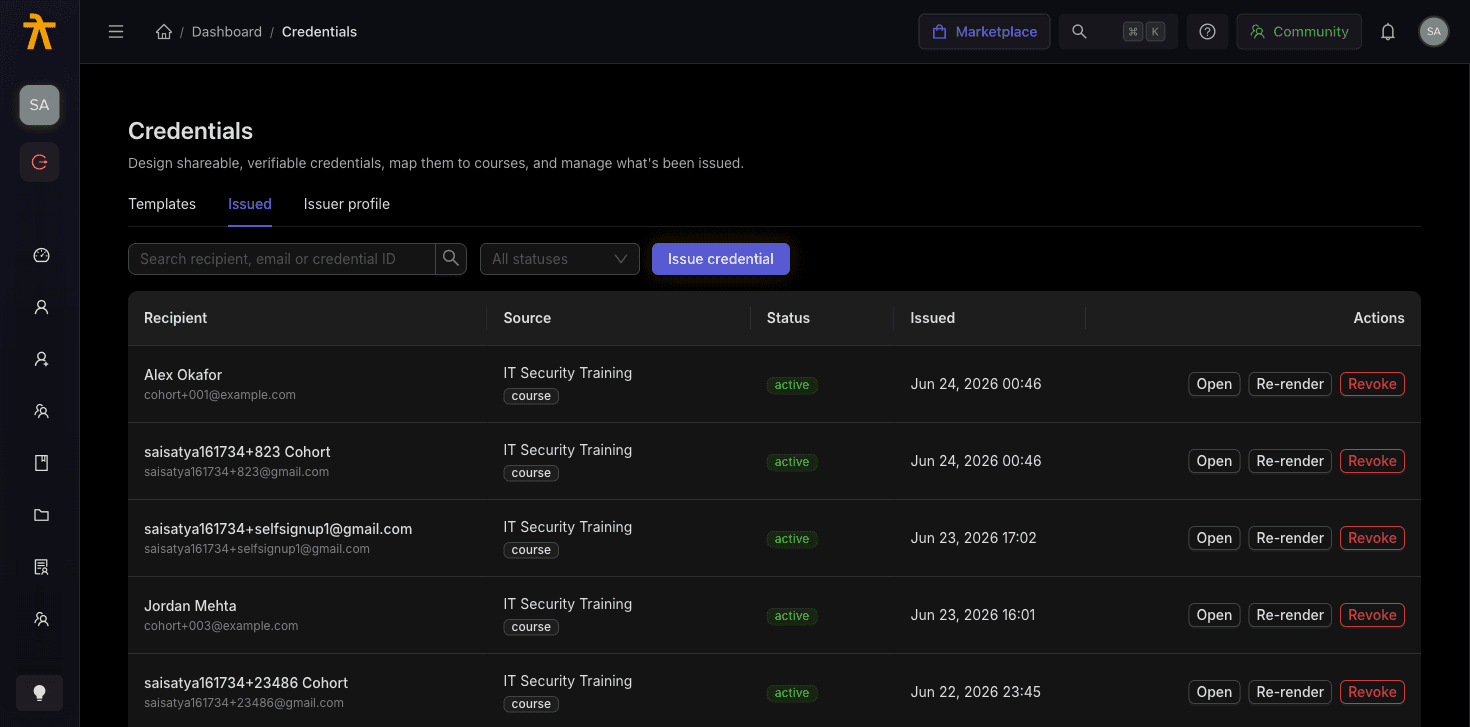
When a course certificate auto-issues
Reaching 100% progress is not on its own enough to earn a certificate. When a learner's enrollment is saved, Arythmatic checks a strict set of conditions and issues a credential only when all of them are true:
- The enrollment status is
completed(case-insensitive). This is the decisive gate — a learner sitting at 100% progress whose enrollment has not been flipped tocompletedwill not receive a certificate. - The course has certificates enabled (Certificate of completion toggled on, stored as
is_certification_available). - A certificate has not already been issued for this enrollment.
- The tenant has the Credentials v2 feature turned on.
Progress at 100% with any other status (for example still in_progress or enrolled) will not issue a certificate. The completion status is what triggers issuance, not the progress bar alone. If a learner finished the material but has no certificate, check that their enrollment status actually reads completed.
The Credentials v2 gate is per-tenant. If your workspace has not been switched onto the new credentials system, nothing issues — there is no legacy certificate fallback. The completion is simply logged and skipped. If certificates never appear for any learner across your whole workspace, this flag is the first thing to confirm with Arythmatic support.
When an assessment certificate auto-issues
Assessments have their own certificate mode, set on the assessment's settings:
| Mode | Behavior |
|---|---|
| None | No certificate is ever issued for the assessment. |
| Auto on pass | A certificate issues automatically as soon as the learner passes. |
| Manual | No automatic issue; an admin issues each certificate by hand. |
In Auto on pass mode, the credential is withheld when the attempt was integrity-flagged by proctoring, or when the learner did not pass. A flagged attempt therefore finalizes without a certificate until an admin reviews it and issues one manually.
How the template design is resolved
At issue time Arythmatic must decide which certificate design the learner receives. It walks a strict priority order and stops at the first match:
- An explicitly chosen template — used by admin issuance flows that pass a specific template.
- The per-course template mapping — a
CourseCredentialTemplatethat pins a specific design to that course. This step applies to course certificates only. - The Issuer Profile default template — the tenant-wide default set on your Issuer Profile.
- The tenant default template — the single template marked Default (a database constraint allows only one default per tenant).
- The auto-seeded "Default Certificate" — for a brand-new tenant with no templates, Arythmatic seeds and publishes a clean default so credentials issue out of the box rather than failing.
If a learner receives a certificate that looks wrong, trace it down this list. A per-course mapping silently overrides your tenant default, so a surprising design usually means a course-specific template is pinned. Clear or update the course mapping to change it.
Whichever template resolves, it must have a published version to issue from. A template that exists only as an unpublished draft cannot issue — issuance fails with an error telling you the template has no published version. Publish the template first. See the template builder for how draft-versus-published versioning works.
What happens at issue time
When the rules are met, Arythmatic:
- Allocates a globally unique credential ID and verification code.
- Snapshots the template's current published version onto the credential, so later edits to the template never alter certificates already issued.
- Writes the credential in
pendingstatus and enqueues an asynchronous render of the PDF, PNG, and public web page. Once rendering finishes the credential becomesactiveand is downloadable.
Issuance is deduplicated. If an active (pending or active) credential already exists for the same recipient and source — course, learning path, or assessment — the existing one is returned and no second certificate or render is created. This makes re-running issuance safe: repeated completions, retries, and bulk actions never produce duplicates.
Issuing certificates manually
Automatic issuance covers the common case, but admins can also issue on demand.
Force-issue an assessment certificate
For a finalized attempt, an admin (or group admin) can issue a certificate manually regardless of the assessment's certificate mode. Manual issuance ignores the auto-on-pass gating, so you can grant a certificate for a Manual-mode assessment, or override a case where automatic issuance was withheld. The attempt must be finalized first — an unfinished attempt is refused.
Bulk-issue to a course batch
To hand certificates to an entire cohort at once, use the batch-issue action for a course batch. This is an explicit tenant-admin override that issues to every enrollment in the batch, not only the completed ones. It still:
- Requires certificates to be enabled on the course. If they are off, the whole action is rejected up front rather than failing per learner.
- Deduplicates on the unique-active constraint, so re-running the batch issue is safe and only mints certificates for learners who don't already have one.
- Reports how many credentials were issued versus failed, with per-learner error detail for the first failures.
Manual and bulk issuance still respect the per-course certificate toggle — a course with certificates disabled will not issue one through any side door. Enable certification on the course first.
Related
Certificate Templates
Design, version, and manage the certificate templates that decide how your issued credentials look — using the visual overlay editor or the HTML code editor.
Certificates for Offline Attendees
Issue and email certificates to people who attended a session outside the LMS — upload the attendee list as a CSV, pick a template, and get a report of who was issued and who was not.
