Arythmatic
Reference

Workflow Event Reference

The complete catalog of platform events that can trigger an automated workflow, grouped by category with a note on when each one fires.

Workflow Event Reference

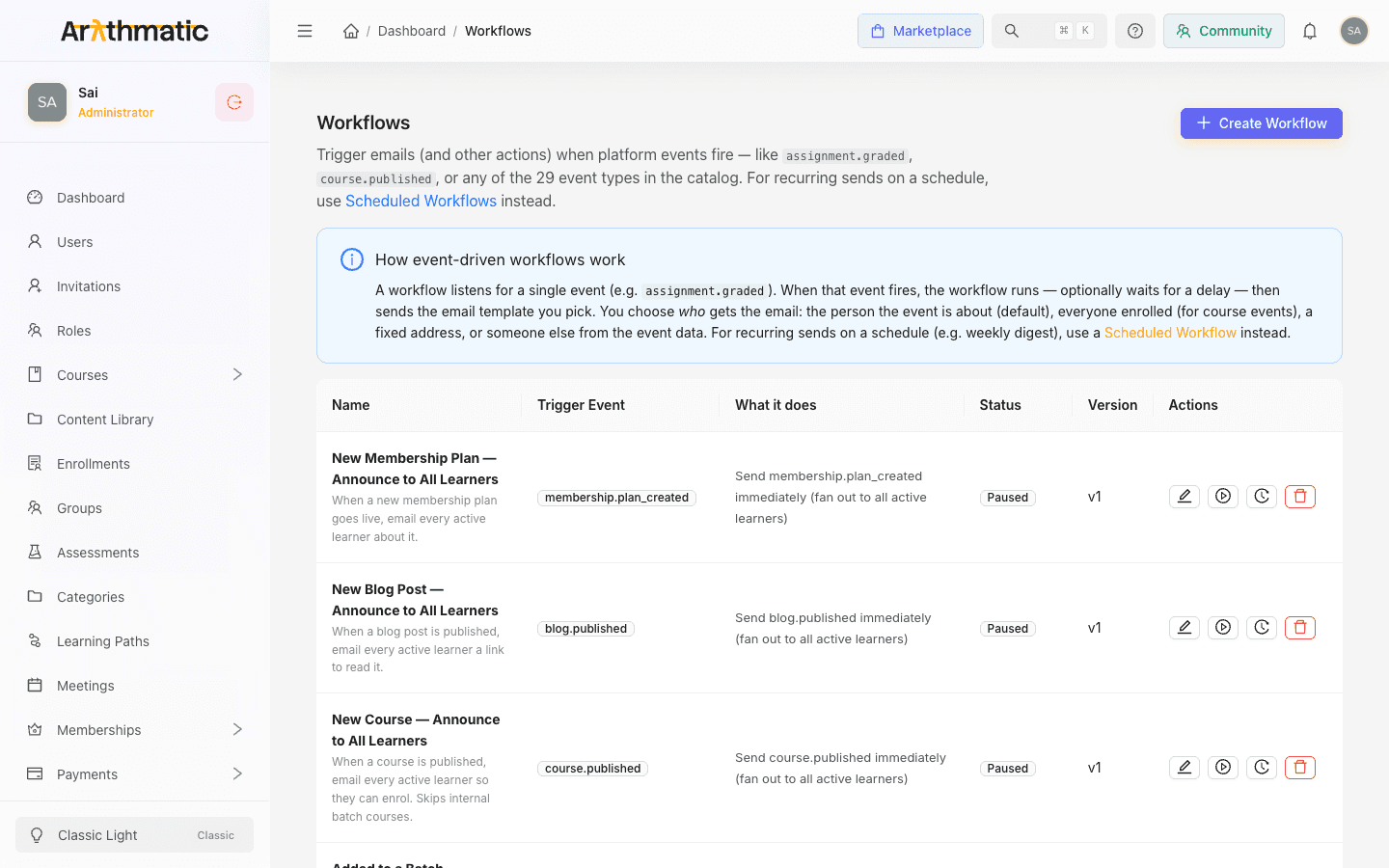
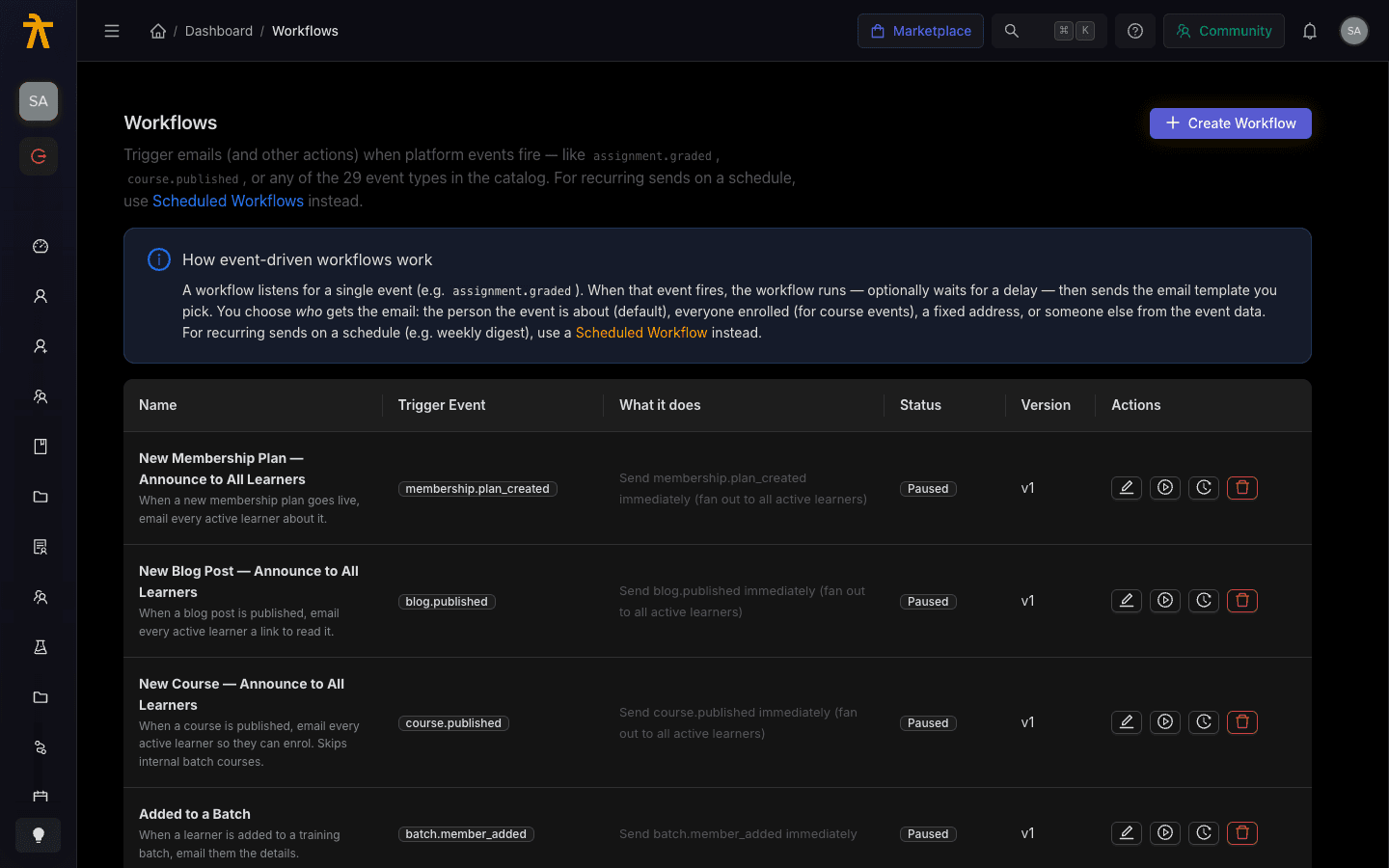
Automated workflows listen for a single platform event and run when it fires — sending an email template, optionally after a delay. This page is the reference catalog of every trigger event you can pick in Settings → Workflows, grouped by category exactly as the Trigger Event picker groups them. Event names use a category.action shape (for example, assignment.graded), and the picker sorts them into option groups by the category prefix, listing the events alphabetically within each group. There are 32 events in total.

Workflows create dialog showing the Trigger Event dropdown with grouped event types.
The Trigger Event picker in Settings → Workflows, with events grouped by category.

How to read this catalog

Each event fires once per occurrence and carries a payload describing what happened (the learner, the course, the payment, and so on). When you build a workflow you pick the event, then decide who receives the email — the person the event is about, everyone enrolled, all active learners, a fixed address, or someone pulled from the event data. See Automated Workflows for the full authoring flow.

Only course-scoped events (course.published, course.updated, course_content.created, course_content.updated, meeting.scheduled, assessment.created) can fan out to everyone enrolled. On other events there is no enrollee list, so pick a different recipient option or the all active learners fan-out.

Event catalog

User

EventFires when
user.createdA new user account is created in your tenant.
user.inactiveA user is flagged inactive (no recent activity).
user.password_reset_requestedA user requests a password reset.
user.verification_requestedA user requests a fresh verification link.
user.verifiedA user completes email or account verification.

Enrollment

EventFires when
enrollment.completedA learner finishes all required content in an enrollment.
enrollment.createdA learner is enrolled in a course.
enrollment.expiredA time-limited enrollment reaches its expiry date.

Course

EventFires when
course.publishedA course is published and made available to learners.
course.updatedA published course's details or structure are changed.

Course content

EventFires when
course_content.createdNew content (a lesson or module) is added to a course.
course_content.updatedExisting course content is edited.

Lesson

EventFires when
lesson.completedA learner marks or is credited with completing a lesson.

Certificate

EventFires when
certificate.issuedA completion certificate is issued to a learner.

Assignment

EventFires when
assignment.due_soonAn assignment's due date is approaching.
assignment.gradedAn instructor grades a submitted assignment.
assignment.submittedA learner submits an assignment.

Assessment

EventFires when
assessment.createdA new quiz or assessment is created on a course.

Meeting

EventFires when
meeting.scheduledA live meeting or session is scheduled on a course.

Payment

EventFires when
payment.failedA payment attempt is declined or fails.
payment.refundedA prior payment is refunded.
payment.succeededA payment for a course, plan, or membership completes.

Group

EventFires when
group.member_addedA learner is added to a Group.
group.member_removedA learner is removed from a Group.

Batch

EventFires when
batch.member_addedA learner is added to a Batch.

Blog

EventFires when
blog.publishedA blog post is published.

Membership

EventFires when
membership.plan_createdA new membership plan is created.

Form

EventFires when
form.submittedA learner or visitor submits a form.

Schedule

EventFires when
schedule.firedA recurring Scheduled Workflow reaches its scheduled time.

Custom

EventFires when
custom.eventA custom event is emitted, typically via API or integration.

Email

EventFires when
email.delivery_failedA workflow email bounces or fails to deliver.

Provider

EventFires when
provider.circuit_openedThe sending provider's circuit breaker trips after repeated failures.

Keep Group, School, and Batch distinct. group.member_added and batch.member_added fire for those specific membership containers — they are separate events and are not interchangeable when you choose a trigger.


Arythmatic